The Commons
A custom membership inquiry workflow connecting a website, serverless API, and CRM.
Project Properties
- Project Type
- Independent concept and technical implementation
- Technologies
- Eleventy, JavaScript, Node.js, Vercel, Cloudflare Turnstile, HubSpot
- Status
- Live demonstration
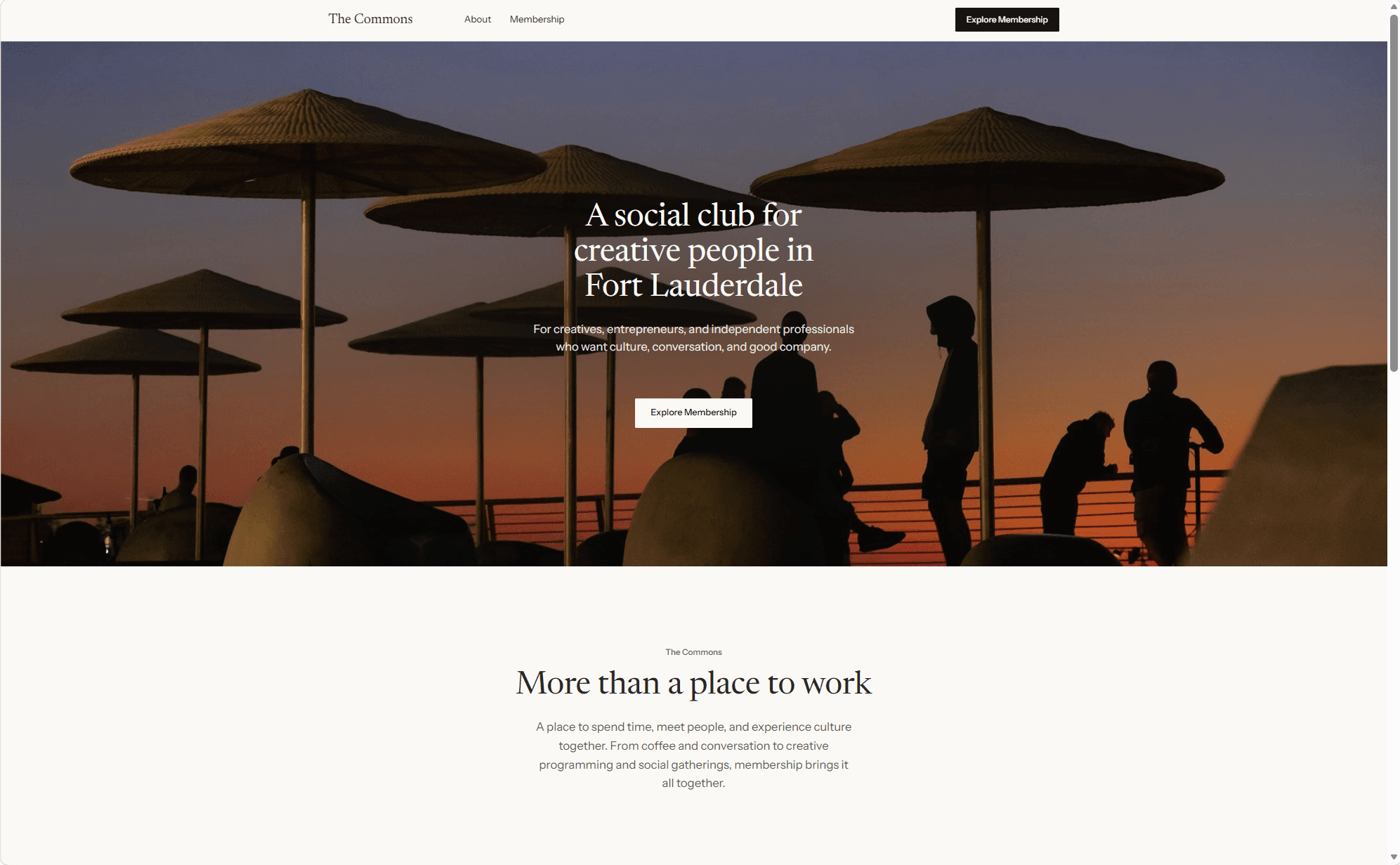
Overview
The Commons is a fictional creative members' club developed as an independent technical implementation project.
While the business itself is conceptual, the website and its supporting inquiry workflow are functional. Visitors can submit an inquiry through a custom form, which is validated and processed through a serverless API before being recorded in HubSpot.
I developed the project to explore how a custom website can connect with the systems a business uses to manage information and communicate with prospective customers.
The Problem
A membership-based business needs more than a website that presents its offerings. It also needs a reliable way to collect inquiries, organize information, and manage incoming interest.
For this concept, I focused on connecting the visitor-facing experience to a CRM while accounting for data validation, consent, spam prevention, and potential submission failures.
The goal was to implement a working inquiry-to-CRM workflow rather than build a form that only demonstrated the intended experience visually.
System Overview
The solution connects four primary components:
Website: A custom Eleventy site containing the membership inquiry form.
Vercel API: A Node.js serverless function that validates incoming data and processes submissions.
Cloudflare Turnstile: A verification service used to help prevent automated submissions.
HubSpot CRM: The destination where accepted inquiries are recorded and organized.
When a visitor submits the form, the browser sends their information and verification token to the backend. The API validates the information, verifies the token with Cloudflare, checks the authorized hostname, and sends the accepted inquiry to HubSpot.
The website then communicates the result to the visitor.
I chose a serverless approach for this relatively small workflow, avoiding the need to maintain a separate application server.
The integration includes server-side field validation, required processing consent, a honeypot field, and Cloudflare Turnstile verification.
The backend also uses environment variables to manage configuration, restricts accepted Turnstile hostnames, and handles failures without silently bypassing verification.
Vercel's firewall provides an additional layer of rate limiting.
Together, these decisions support a lightweight implementation while addressing practical concerns that arise when a public-facing form connects to a business system.
const cloudflareResponse = await fetch(
  "https://challenges.cloudflare.com/turnstile/v0/siteverify",
  {
    method: "POST",
    body: new URLSearchParams({
      secret,
      response: turnstileToken
    })
  }
);

// …

if (verification.success !== true) {
  // Cloudflare's reason codes only; never the token or secret.
  console.warn(
    "Turnstile verification failed:",
    verification["error-codes"],
    "hostname:",
    verification.hostname
  );
  return response.status(403).json({
    error: "Verification failed. Please try again."
  });
}

// The token must have been issued on one of our own hostnames.
const tokenHostname =
  typeof verification.hostname === "string"
    ? verification.hostname.toLowerCase()
    : "";

if (!allowedHostnames.includes(tokenHostname)) {
  console.warn("Turnstile hostname not allowed:", tokenHostname || "(none)");
  return response.status(403).json({
    error: "Verification failed. Please try again."
  });
}

// Only after successful verification do we contact HubSpot.Two issues were particularly useful in developing my understanding of technical integrations.
Runtime configuration
During Turnstile integration, the local Vercel server continued using an older testing secret even after I updated the environment file.
The problem wasn't the API's verification logic. It was the environment inherited by the running development process.
Tracing that behavior helped me understand the distinction between source code, local configuration files, and the variables actually available to an application at runtime.
Validation across systems
After deployment, certain inquiries failed even though they passed the website's validation and Turnstile verification.
The backend returned an error because HubSpot was rejecting the submission. I added privacy-conscious diagnostic logging to capture HubSpot's error type and affected field without recording submitted personal information.
The logs revealed a REQUIRED_FIELD error for lastname.
The website collected one full-name field and permitted single-word names, but the HubSpot form required a last name. Making that CRM field optional resolved the mismatch.
The experience reinforced an important lesson: a workflow can appear correctly implemented within one system and still fail because another system applies different rules.
The final implementation was deployed publicly through Vercel.
I verified that an inquiry submitted through the live website was accepted and recorded in HubSpot. The implementation also underwent syntax and build checks, targeted failure-path testing, and a comparison of the committed source against the deployed version.
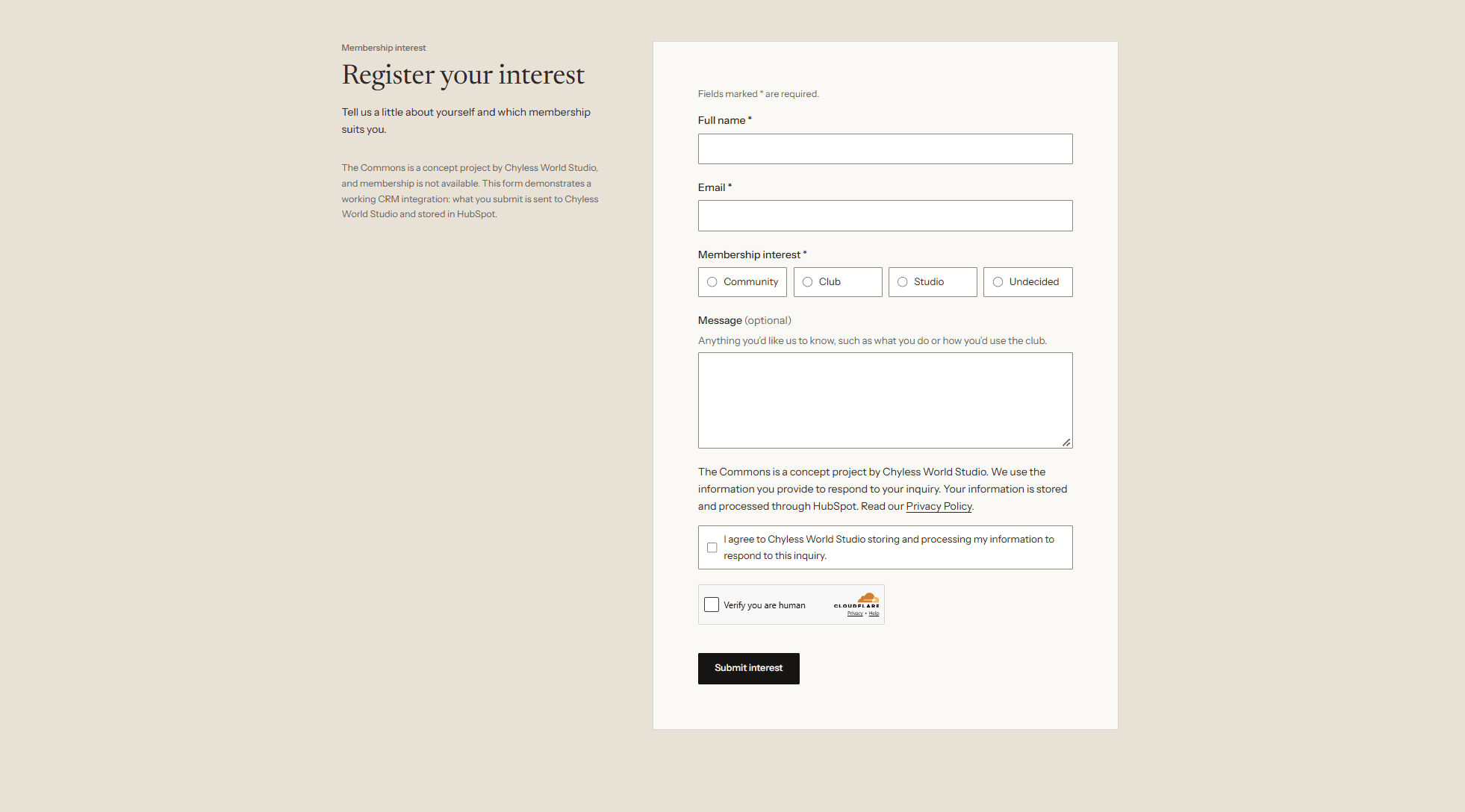
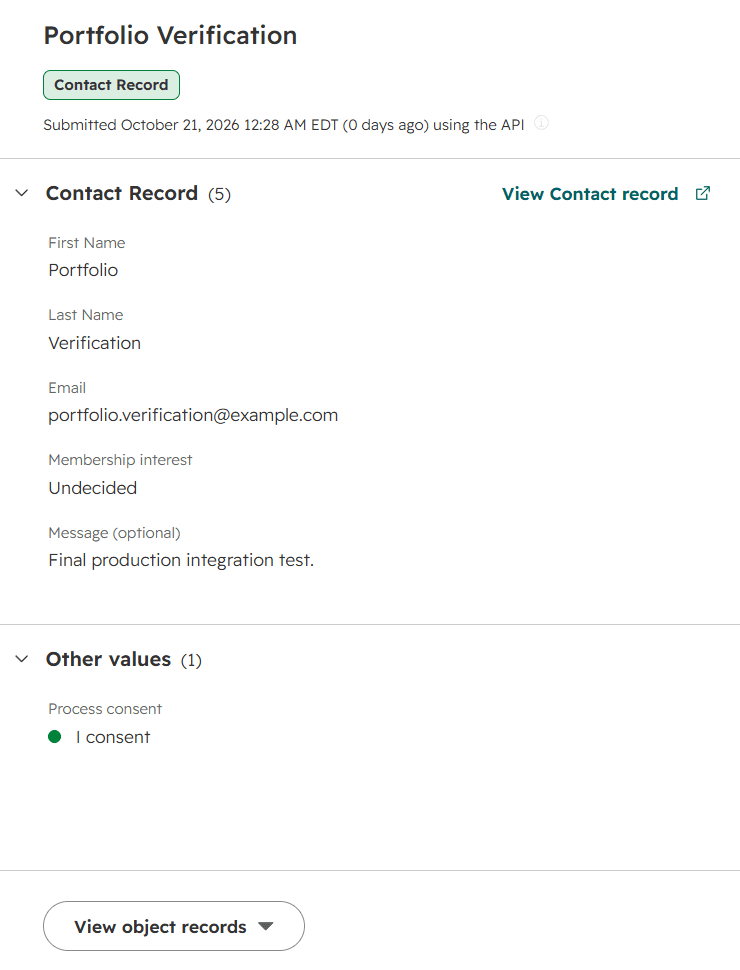
The result is a working demonstration of how a custom digital experience can connect to a CRM through a backend integration.
The implementation provides a foundation for future extensions, including inquiry management tools, automated follow-ups, and more developed administrative workflows.
I directed the implementation, configured external services, made integration and workflow decisions, participated in troubleshooting, and verified the final system.
I used ChatGPT to support technical learning, planning, and debugging, and Claude Code to assist with code implementation, testing, review, and deployment.
AI-assisted development was part of the workflow, while I remained responsible for understanding the system, evaluating results, and making implementation decisions.
The Commons is a portfolio demonstration, not an operating membership club.
The current implementation focuses on collecting and recording inquiries. It does not include automated follow-up communications, a membership management platform, or an internal operations dashboard.
Potential next steps include extending the CRM workflow, creating internal tools for reviewing inquiries, and improving operational processes around data retention and ongoing maintenance.